How to set stand-up and stretch reminders while you work
By Alok Paryani, Founder. Published
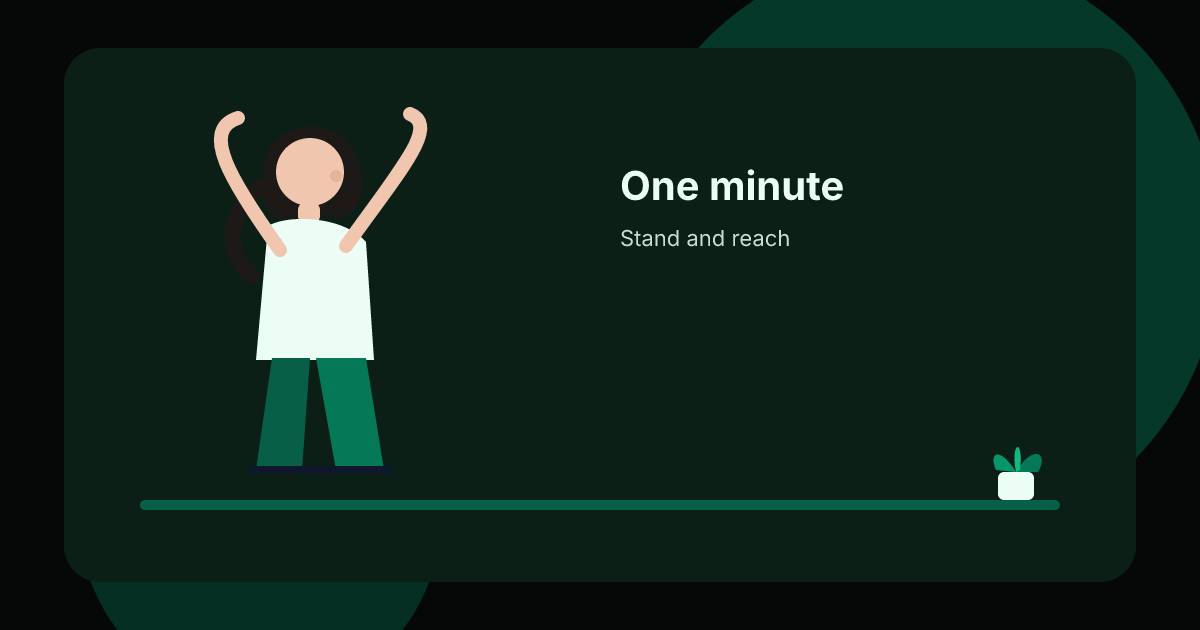
A stand up reminder only works if you can answer it without wrecking the task in front of you. If the prompt asks for a workout, you will snooze it. If it asks for one minute and a clear next move, you will often do it. This is how to set reminders you will keep, beside a posture nudge.
DeskZen is a wellness tool, not a medical device. The ideas below are general habits. They may help you feel better at your desk. They do not diagnose or treat anything. If something hurts, talk with a health professional.
Decide what the reminder is for
"Take a break" is too vague to follow. Pick one job for each prompt so your hand knows what to do before you have to think. A stand up reminder means leave the chair. A stretch reminder means one or two easy moves for your shoulders, neck, or hips. An eye reminder means look farther away than the screen. A water reminder means drink, not a new productivity system.
OSHA's computer workstation notes on work process encourage changes in position and reasonable breaks, not heroics at the keyboard. Harvard Health's overview of long periods of sitting makes the same practical point: breaking up a long sit is worthwhile. You do not need to read either page as a scare story. The takeaway is that your body does better when it is not locked in one chair-shaped pose until quitting time.
Pick an interval you will not resent
The right interval is the one you still follow on a busy Tuesday. For a lot of desk days, a stand up reminder every 30 to 60 minutes is enough. Shorter can feel like nagging. Longer can mean you have already been still for too long by the time it rings. Start in the middle and adjust after a few days, instead of designing a perfect schedule on Sunday night.
In DeskZen, move breaks can be set to 30, 45, 60, or 90 minutes. Forty-five is a steady starting point: long enough to finish a thought, short enough that the afternoon does not disappear in one shape. If you switch between sitting and standing, you can also turn on a prompt to change position, so a standing desk does not become a new place to freeze. Water reminders can run every 45, 60, 90, or 120 minutes. Eye reminders can run every 20, 30, 45, or 60 minutes. Turn on the ones you want. Leave the rest off.
Give yourself an exit. DeskZen lets you mark a prompt done or snooze it. Quiet hours keep every tip silent in the window you choose. They stay off until you turn them on, so a break reminder app can be quiet during a call.
Make the stretch shorter than the excuse
A stretch reminder fails when the stretch is a production. Keep a list of moves that take about a minute and need no equipment. Use one, not all of them, when the prompt arrives.
- Stand and roll your shoulders up, back, and down, three slow times.
- Reach both arms overhead and take three easy breaths.
- Turn your head gently to each side, only as far as is comfortable, then look across the room.
- Step away from the desk and walk to a window, the kitchen, or the end of the hall.
- If you have been standing, sit back down and let the chair support you.
DeskZen includes a stretch library for those short resets, separate from the posture check. Open one when a move break arrives, or ignore the library and just stand. The point is the change of position. You are not training for anything.
Put the timer next to a slouch check
A clock cannot see you. You can be sitting well when it rings and folded forward for the next half hour. That is why a break reminder app and a slouch detector are a better pair than either one alone. The timer owns the scheduled stand and stretch. The camera owns the drift in between.
The difference is spelled out in webcam slouch detector vs a sit-up timer. Short version: a posture timer rings even when you are already sitting well. A slouch detector stays quiet until your outline changes. DeskZen does the camera check in the browser after you set your Zen once. The camera stays on your device. Photos and video are never saved or uploaded.
You can read the product side on the free webcam posture checker page, or see how the same tab works as a posture reminder for Mac and Windows. There is nothing to install on either computer.
A sample afternoon that stays realistic
Here is one way to run the reminders from lunch to the end of the day. It assumes a sitting desk and a 45 minute move break. Change the numbers if your work does not look like this.
- 1:00 PM. After lunch, sit back in the chair with your feet on the floor and the screen high enough that you are not hanging your head.
- 1:45 PM. Stand up reminder. Roll your shoulders, refill water, sit back down.
- 2:30 PM. Another move break. Look farther away than the screen.
- Any minute in between. If you start to slouch, the camera nudge can speak up. You do not wait for the clock.
- 3:15 PM. One minute with your arms overhead, then a short walk if you have been still.
- 4:00 PM. If you are in a meeting, snooze. The reminder can wait.
The 3 PM hour is when a lot of people fold without noticing. Movement will not replace sleep, and it will not erase a short night. It can make the next hour less heavy. The guide on why you crash at 3 PM goes further into that dip. Chair and screen setup, which makes every reminder easier to follow, is in how to stop slouching at your desk.
Keep the tone closer to a colleague than a coach with a whistle
You will miss reminders, and you will snooze a deadline afternoon. That is not a failure. If you are ignoring prompts because they are too frequent, make the interval longer. If you finish the day stiff from not moving, make it shorter. A silent on-screen tip is kinder than a loud chime when you share a room or you are on a call.
Privacy stays the same while the reminders run. The posture check, if you leave it on, still happens on your device. Break reminders themselves are just times and labels. They do not need a photo of you. The details are in a private posture reminder that never saves your camera.
Sources
Questions
How often should a stand up reminder go off?
A stand up reminder every 30 to 60 minutes is a comfortable range for a lot of desk days. In DeskZen, move breaks can be 30, 45, 60, or 90 minutes. Pick one you will actually follow, and snooze it when you are mid-thought.
What should a stretch reminder include?
A short stretch you can finish in about a minute: roll your shoulders, reach overhead, or stand and take a few steps. It is a habit cue, not a workout.
Can a break reminder app also watch my posture?
Yes. A timer can remind you to stand and stretch on a schedule, and a webcam check can nudge you when you slouch between those breaks. DeskZen does both, and the camera stays on your device.
Do I need a standing desk?
No. A stand up reminder can mean pushing the chair back for a minute. If you do switch between sitting and standing, DeskZen can also remind you to change position so you are not locked in one shape.
Keep reading
Try DeskZen free
Set a move break, then get a quiet nudge when you slouch between them. Your camera stays on your device.
Set my ZenNo sign-up. No credit card. About 30 seconds.
Sign in if you already have an account.
DeskZen is a wellness tool, not a medical device.